



Video Playback Slide – Capturing Product Introduction and Emotions
RJ0400054_28
- Last Update 06/01/2025
- File Size 2.7MB
- # of Slides 2
- File Format PPTX
- Slide Ratio 16:9
- Color
Keywords
About the Product
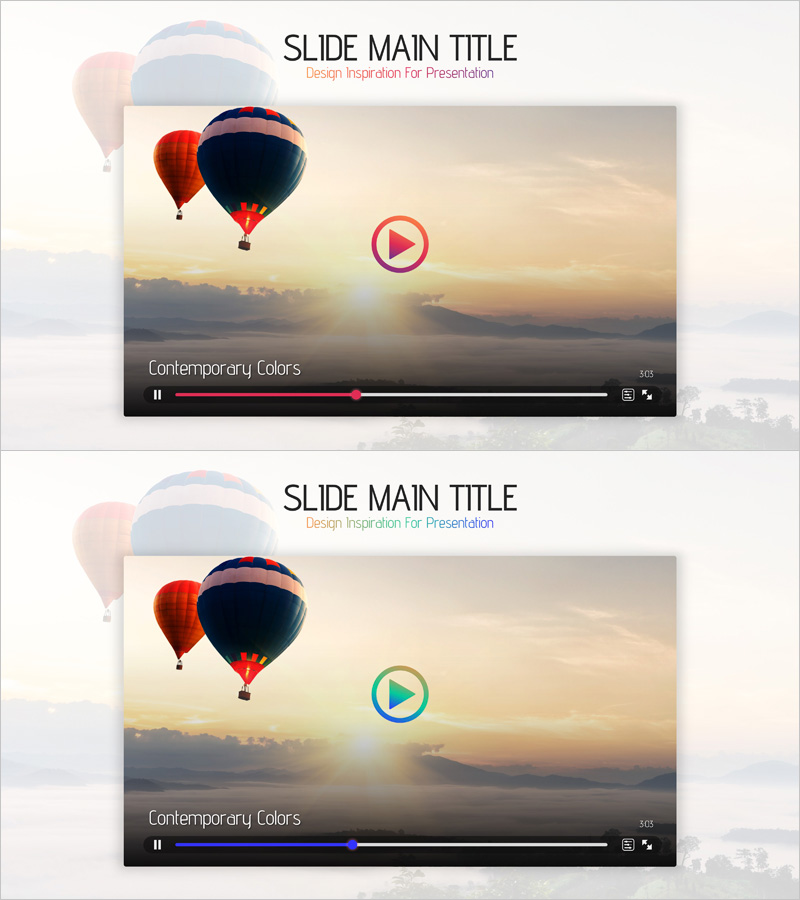
A video playback slide designed to showcase product introductions and brand stories with emotional impact. Featuring a warm sunrise background with hot air balloon imagery and a centered play button, this PowerPoint slide adds visual depth to your presentation. The 16:9 format includes 2 slides optimized for embedding product videos or brand narrative content. The clear separation between title area and video player area ensures seamless integration into your presentation flow, while the warm color palette strengthens emotional connection with your audience.
Usage Points
-
Main Usage
Use this slide to embed product introduction videos or brand story content within your presentation. The centered play button naturally draws audience attention, while the warm background colors enhance emotional engagement. Ideal for investor pitches, product launches, and corporate branding presentations where video content needs to make a strong visual impact.
-
How to Use
Link or embed your video file into the player area on the slide. Customize the title text to match your video topic or product name, and adjust the background image to align with your brand colors. During your presentation, play the video directly from this slide to maintain audience focus, then transition smoothly to your next content slide.
-
Recommended For
Product marketing managers, brand strategists, and corporate communications teams preparing product-focused presentations. Recommended for investor relations meetings, customer-facing pitches, and internal training sessions where video storytelling is essential. Works best for brands emphasizing emotional connection and visual narrative in their messaging.
-
Slide Structure
The slide consists of two main sections: a title area at the top and a centered video player area. The title section accommodates your slide heading and subtitle text, while the central play button serves as the entry point for video content. The hot air balloon and sunrise background establish the emotional tone, and the black player bar visually indicates video playback status and progress.
Related Products
-
Mobile Learning Checklist Mockup – Effective Program Introduction
#Product/Service Introduction #Diagram #Other
-
Korean Traditional Experience Presentation Template
#Product/Service Introduction #Other #Product/Service Introduction
-
Interior Business Main Components Services
#Product/Service Introduction #Diagram #Other
-
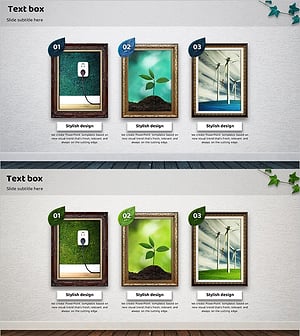
Introduction to Eco-Friendly Business Project Program – A Sustainable Future
#Product/Service Introduction #Diagram #Other
