



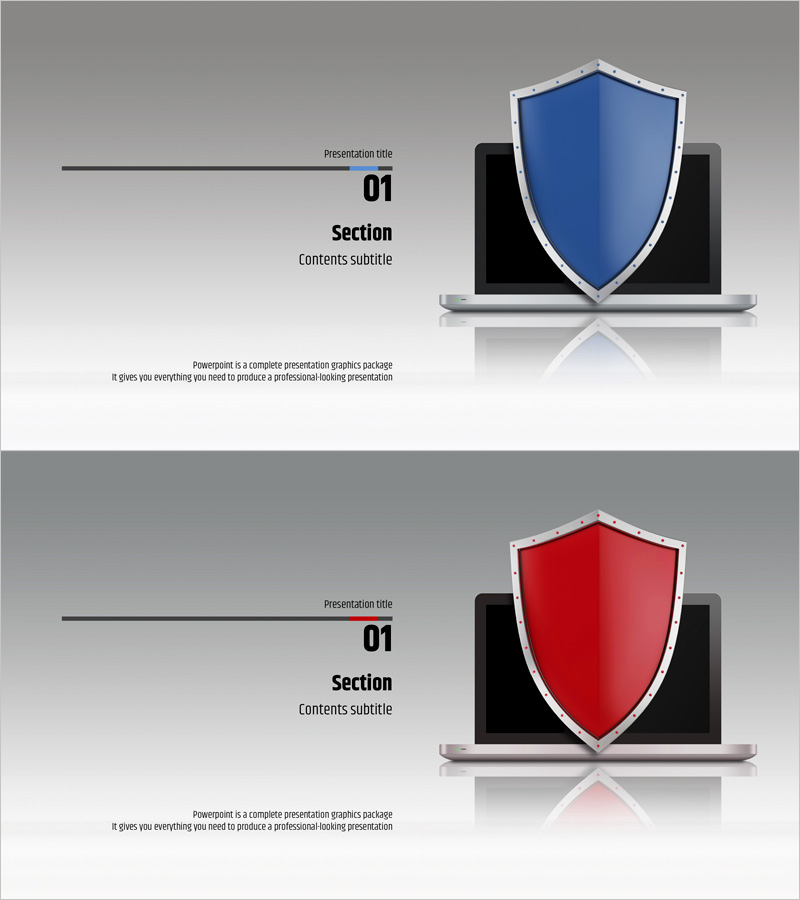
Network Firewall Presentation Index – Section Dividing Slide
RJ0400020_3
- Last Update 05/23/2025
- File Size 0.6MB
- # of Slides 2
- File Format PPTX
- Slide Ratio 16:9
- Color
Keywords
About the Product
A professional section divider slide set for network firewall and cybersecurity presentations. This 2-slide collection features blue and red color variants, each showcasing a prominent shield icon on a laptop to reinforce security messaging. The left side provides clearly defined text input areas for section number, title, and subtitle, enabling seamless transitions between presentation segments. Fully editable in PowerPoint PPTX format, these slides are ready for immediate use in corporate security briefings, IT infrastructure proposals, network architecture seminars, and technology-focused business presentations.
Usage Points
-
Main Usage
Serves as a chapter or section break slide to segment major topics within a presentation. Ideal for network security, firewall technology, and IT infrastructure discussions, these slides refocus audience attention and smoothly transition between presentation sections while reinforcing security themes.
-
How to Use
Edit the left-side text fields—'Presentation title', 'Section', and 'Contents subtitle'—with your actual section names and descriptions. Use the blue version to emphasize trust and stability; apply the red version when highlighting critical security concerns or urgent topics. Maintain visual consistency by selecting one color per presentation theme.
-
Recommended For
Best suited for IT company technology briefings, network security seminars, firewall solution proposals, information security training materials, and cloud or infrastructure deployment project presentations. Recommended for security officers, IT architects, and technical sales professionals who need to establish credibility and emphasize technical reliability.
-
Slide Structure
Each slide positions a shield-on-laptop icon (blue or red) in the upper right, with four horizontally aligned text input areas on the left (title, section name, subtitle, and description). Optimized for 16:9 widescreen format to fit modern presentation environments and display systems.
Related Products
-
Balloon Party Template Section Slide – Bring Life to Your Special Moments
#Slide Type #Section Cover
-
Company Overview PowerPoint Slide – Professional Presentation Design
#Slide Type #Section Cover
-
Simple and Friendly Slide with Presentation Title
#Slide Type #Section Cover
-
Section Slide Template with Visual Emphasis – Contemporary Design
#Slide Type #Section Cover
