



Business Vision Tree Structure Diagram – Presenting Vision with Cluster Structure
RJ0400011_12
- Last Update 05/19/2025
- File Size 0.5MB
- # of Slides 2
- File Format PPTX
- Slide Ratio 16:9
- Color
Keywords
- #Content-Based Slides
- #Design-Based Slides
- #Business Vision and Strategy
- #Diagram
- #Business Vision
- #Structure
- #Cluster
- #Tree Diagram
- #Closed Cluster Diagram
- #16:9
- #cluster diagram PowerPoint
- #tree structure slide template
- #business vision diagram
- #hierarchical structure PPT
- #organizational chart PowerPoint slide
About the Product
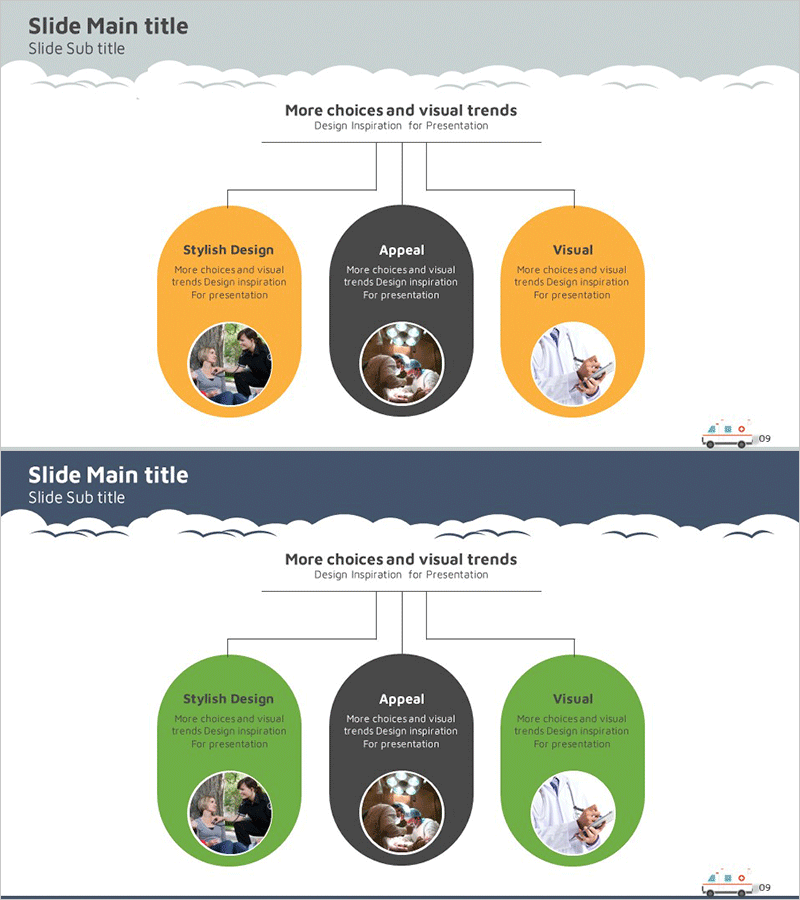
A cluster diagram PowerPoint slide that visualizes business vision and strategy across three hierarchical levels. The tree structure expands from a central concept (Appeal) to left and right branches, clearly expressing the hierarchical relationship between parent and child elements. The contrast between orange and dark gray backgrounds distinguishes each area, while circular nodes include image insertion zones to enhance visual impact. This 2-slide set is ready to use for business vision presentations, organizational structure explanations, decision-making processes, and other presentation scenarios.
Usage Points
-
Main Usage
This structure places the organization's core vision at the center and expands supporting strategies, objectives, and execution tasks across left and right hierarchical branches. It effectively communicates the relationship between parent and child concepts in executive briefings, company-wide strategy presentations, and organizational restructuring explanations.
-
How to Use
Enter the core concept (vision, goal, strategy) in the central dark gray node, and add supporting details in the left and right orange nodes. Insert related photos or icons in the circular image areas within each node to enhance visual appeal. Text size and color are fully editable to match your presentation style.
-
Recommended For
Ideal for executives, planning teams, marketing departments, and organizational development teams presenting company-wide strategies, business plans, organizational structures, and decision-making processes. Particularly effective when emphasizing hierarchical relationships between parent and child concepts.
-
Slide Structure
2-slide set. Top slide features light gray background with orange left/right nodes and dark gray center node (3 nodes total); bottom slide uses the same structure with color variation (orange replaced by green). Each node is circular with embedded image insertion area and text input space.
Related Products
-
Space Industry Vision Diagram – Innovation and Growth Strategy
#Business Introduction #Business Vision and Strategy #Diagram
-
Reliable Company Overview Slides
#Company Introduction #Business Vision and Strategy #Diagram
-
Criteria for Selecting Healthy Food Ingredients Diagram – Business Vision and Strategy
#Business Vision and Strategy #Diagram #Business Vision
-
Space Industry Vision Diagram – Innovation and Advancement
#Business Vision and Strategy #Diagram #Business Vision
