



Adae Image Business Background and Necessity
RJ0300070_6
- Last Update 05/08/2025
- File Size 1.6MB
- # of Slides 2
- File Format PPTX
- Slide Ratio 16:9
- Color
Keywords
About the Product
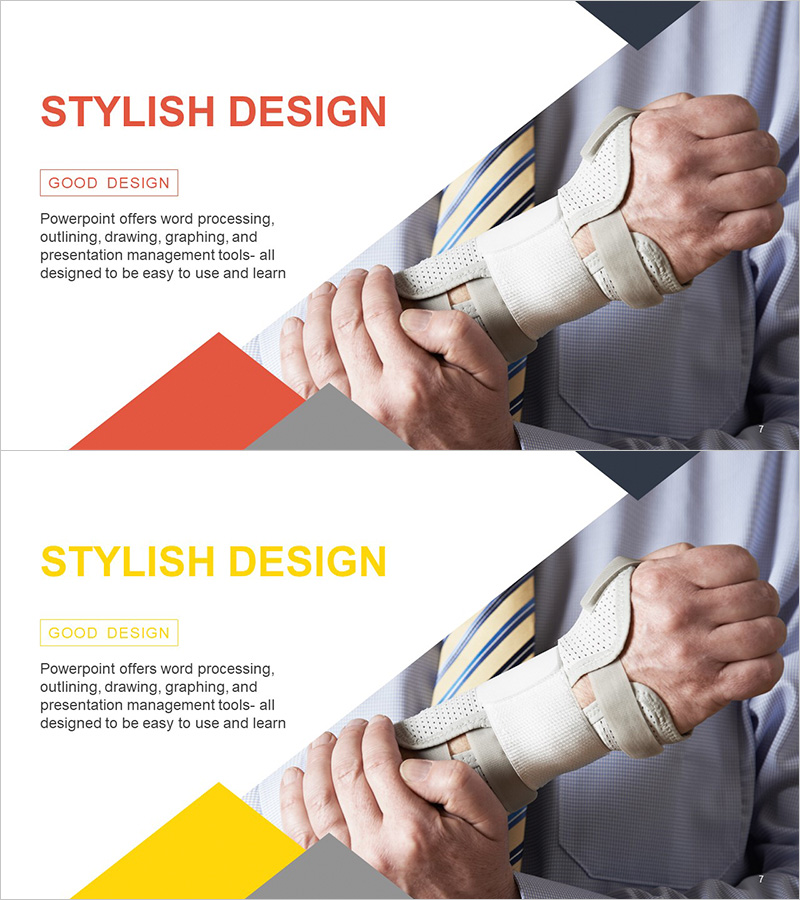
A 2-slide PowerPoint presentation template designed to clearly communicate business background and necessity. The layout features a left text area paired with a right image space, optimized for business strategy presentations. Vibrant red and yellow accent colors combined with geometric shapes create visual hierarchy that captures audience attention. Three-level text structure—title, description, and label—ensures clear information flow. Ideal for corporate presentations, investor pitches, and strategic planning meetings. Delivered in 16:9 widescreen PPTX format compatible with all presentation environments.
Usage Points
-
Main Usage
Logically present the business context, background rationale, and necessity to persuade stakeholders and investors. Visually organize market conditions, problems, and opportunities to demonstrate business viability. Color accents and image placement emphasize core messages for maximum impact.
-
How to Use
Enter business background explanation and necessity evidence in the left text area. Place relevant photos, graphs, or diagrams in the right image space. Use red or yellow accent colors for titles to enhance presentation flow and audience focus. Customize geometric shapes by changing colors to match your brand identity.
-
Recommended For
Perfect for business plans, investor pitches, and strategic planning presentations. Recommended for executive teams, planning departments, and sales teams presenting new business initiatives, market expansion, or organizational changes. Ideal for external investor and partner briefings requiring credible background context.
-
Slide Structure
Two-slide set with red accent on the first slide and yellow accent on the second. Each slide contains four input areas: title (top left), description text (center left), label box (bottom left), and image area (right side), creating clear information hierarchy.
Related Products
-
Introducing Business Vision and Strategy through Environmental Protection Infographics
#Business Introduction #Business Vision and Strategy #Business Understanding
-
Diagram of Competition and Cooperation – Business Vision and Strategy
#Business Vision and Strategy #Business Strategy #Diagram
-
Renewable Energy Business Background and Necessity Green Mint – Solutions for a Sustainable Future
#Business Vision and Strategy #Operational Plan #Business Background and Necessity
-
Maple Leaf World Map – Business Vision and Global Marketing Strategy
#Business Vision and Strategy #Marketing Plan and Strategy #Other
