



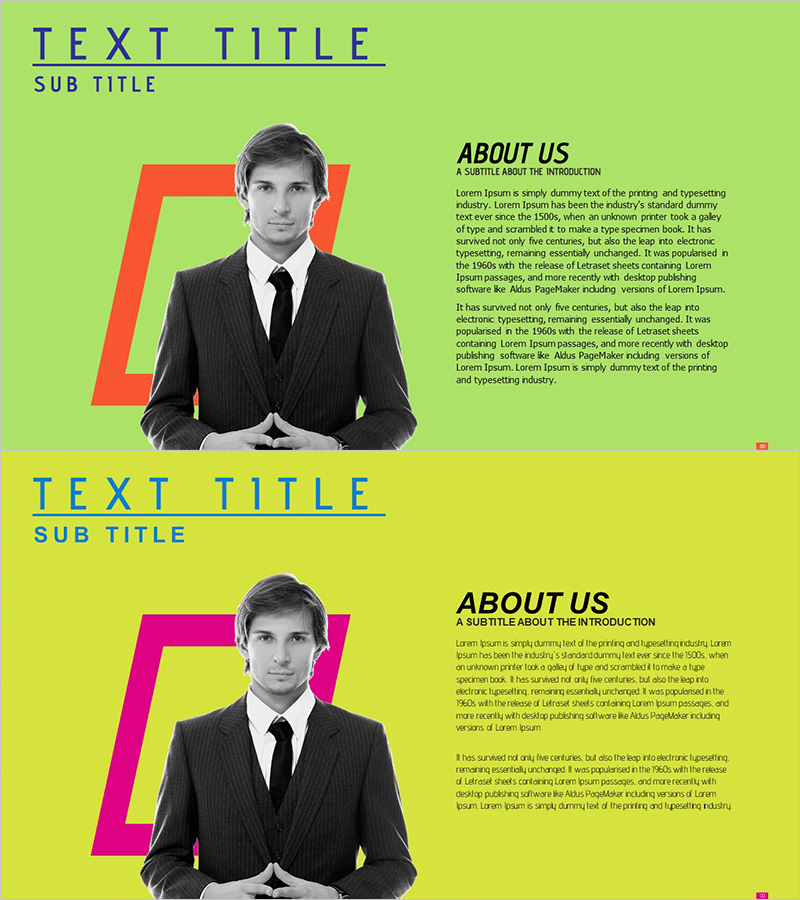
CEO Introduction Slide – Highlighting Trust and Professionalism
RJ0300049_4
- Last Update 05/01/2025
- File Size 2.4MB
- # of Slides 2
- File Format PPTX
- Slide Ratio 16:9
- Color
Keywords
About the Product
A dedicated PowerPoint slide for introducing the CEO or executive leader in company presentation decks. Features a modern layout with lime green background and orange-magenta accent colors, positioning executive photo and text areas in left-right symmetry. The 2-slide set uses varying background colors (lime and yellow) to create visual variety, effectively communicating leadership and corporate trustworthiness to investors, partners, and new employees. Clear photo frame space and ample text input areas enable immediate editing, while 16:9 widescreen format optimizes display across all devices.
Usage Points
-
Main Usage
Visually communicate executive leadership and corporate trustworthiness in company presentations. Clear separation of photo space and text area allows effective introduction of CEO background, career achievements, and business vision. Strengthens corporate credibility in pitches to investors, partners, and new employee onboarding.
-
How to Use
Insert CEO photo in the left frame and add name, title, career highlights, key achievements, and management philosophy in the right text area. Use the 2-slide set with different background colors for visual variation, or add supplementary information such as awards, certifications, and global experience. Apply to company profile presentations, investor pitch decks, and employee orientation materials.
-
Recommended For
Company introduction presentations for large corporations, investor relations pitching, partnership proposal presentations, new employee onboarding training, and corporate newsletters or annual reports. Particularly suitable for B2B presentations where executive credibility is critical and corporate branding materials.
-
Slide Structure
2-slide set with each slide featuring a left photo frame (orange-magenta accent border) and right text area (title, subtitle, body text). First slide uses lime background, second uses yellow background for color variation. Each slide includes logo and company name placement space to maintain brand consistency throughout the presentation.
Related Products
-

Introduction to Game Development Representatives – Team and Vision
#Company Introduction #Introduction of Executives
-
Company Timeline & Representative Introduction – A Glimpse of the Business
#Company Introduction #Diagram #Introduction of Executives
-

Representative Medical Staff Introduction – Emphasizing Trust and Professionalism
#Company Introduction #Introduction of Executives
-

Medical Business Representative Introduction Slide – Trust and Professionalism
#Company Introduction #Introduction of Executives #Contact Information
