



Business Area Diffusion Diagram – Flow of New Business Ideas
RJ0300037_6
- Last Update 04/28/2025
- File Size 1.2MB
- # of Slides 2
- File Format PPTX
- Slide Ratio 16:9
- Color
Keywords
- #Content-Based Slides
- #Design-Based Slides
- #Company Introduction
- #Business Introduction
- #Diagram
- #Business Areas
- #Business Areas
- #Spread
- #Centralized Diagram
- #16:9
- #radial diagram PowerPoint
- #business area expansion slide
- #5-node diagram template
- #center diffusion diagram
- #business idea flow PowerPoint
About the Product
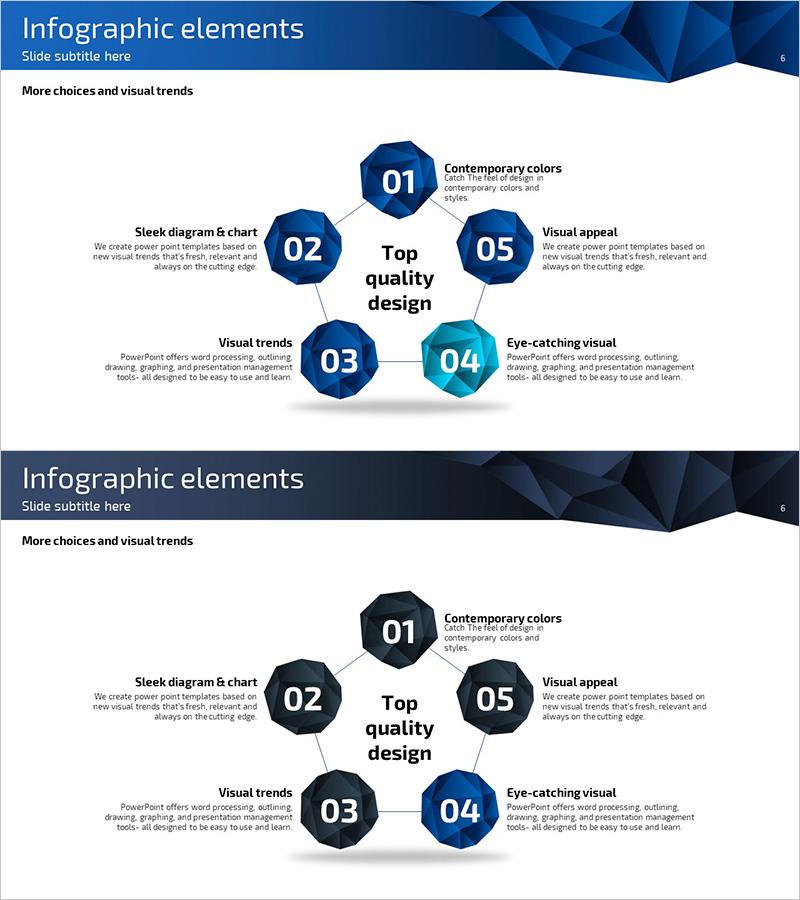
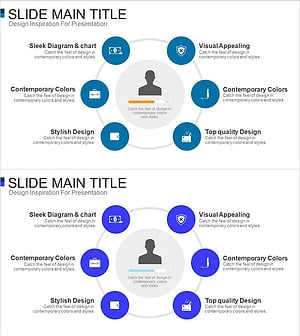
A radial diagram PowerPoint slide featuring five nodes expanding outward from a central concept. The design uses dark blue hexagonal shapes connected by lines to visualize business area expansion, new business idea flows, and strategic distribution. Provided as a 2-slide set with the first showing the standard 5-node layout and the second offering a color-highlighted variation for emphasis. In 16:9 widescreen PPTX format, fully editable and ready to integrate into presentations where multi-layered concept expansion needs clear visual representation.
Usage Points
-
Main Usage
Visualizes multi-layered ideas, strategies, and business areas radiating outward from a central concept. Ideal for illustrating business domain diversification, new venture discovery, marketing channel expansion, and organizational role distribution in a clear, hierarchical manner.
-
How to Use
Use in the business overview section to demonstrate company portfolio diversity, or in strategy development to show how core objectives branch into detailed initiatives. Edit node text and adjust colors to highlight priority levels and relationships.
-
Recommended For
Recommended for executives and planners presenting business expansion strategies, startup founders pitching new venture ideas, marketing professionals reporting channel diversification, and HR leaders explaining organizational role distribution.
-
Slide Structure
Five dark blue hexagonal nodes positioned around a central text box (top, bottom, left, right, and lower right), each connected to the center by straight lines. Slide 1 shows the standard structure; Slide 2 highlights the lower-right node in teal to emphasize priority or importance.
Related Products
-
Business Value Diagram – Visualizing Business Sectors
#Company Introduction #Business Introduction #Diagram
-
Travel Business Services Area – Effective Diagram Design
#Company Introduction #Business Introduction #Diagram
-
Business Area Circular Diagram – Enhancing Corporate Presence
#Company Introduction #Business Introduction #Diagram
-
Card Payment Service Area Diagram – Business Sector Introduction
#Company Introduction #Business Introduction #Diagram
